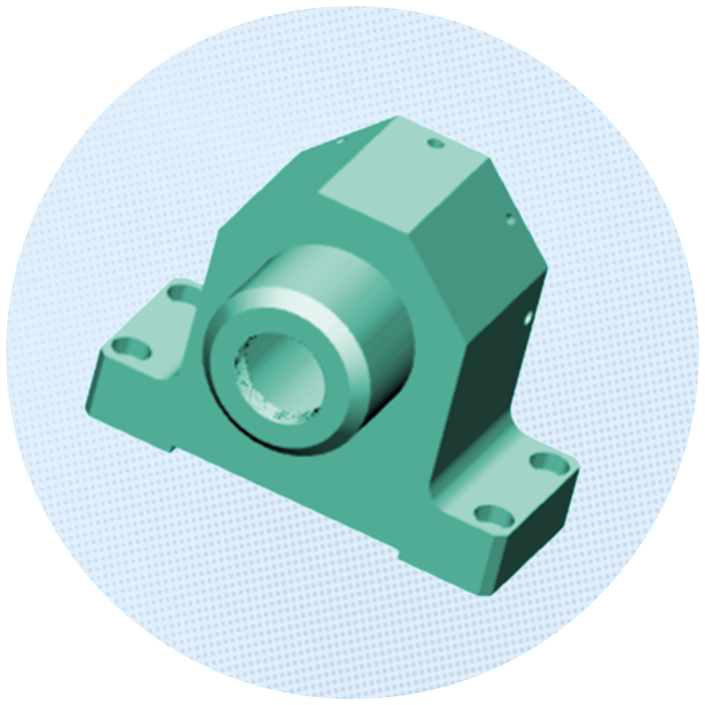
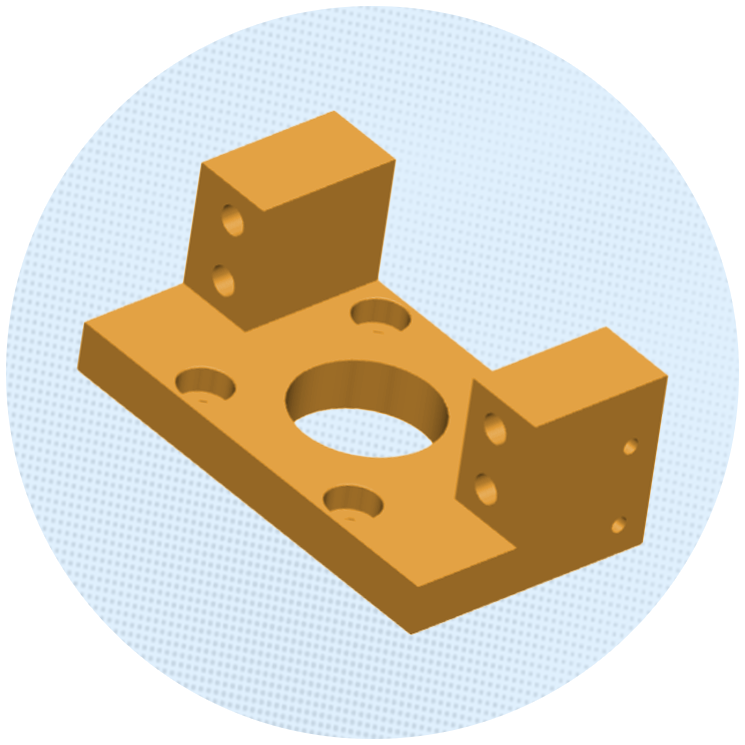
.png)


Understanding the RFQ process in manufacturing matters because it directly affects how quickly and accurately a supplier can quote a manufacturing job. For buyers, a clear RFQ reduces ambiguity and makes supplier quotes easier to compare. For manufacturers, complete and well-structured RFQ information makes it easier to assess manufacturability, calculate costs, and respond without unnecessary back-and-forth.
An RFQ, or Request for Quotation, is a formal request from a buyer asking a manufacturer or supplier to provide pricing and commercial terms for producing a defined part, component, assembly, or product.
Unlike an open-ended request for a solution, an RFQ generally starts with a reasonably defined requirement. The buyer already knows what needs to be made and wants suppliers to determine the cost, timeline, and delivery terms.
A manufacturing RFQ can contain engineering drawings, 3D CAD files, material specifications, quantities, tolerances, finishing requirements, inspection criteria, delivery expectations, and commercial conditions.
The clearer these requirements are, the fewer assumptions a supplier has to make during estimation.
These documents belong to different stages of the sourcing process.
.png)
The RFQ starts the commercial conversation. The quotation responds, and the purchase order turns the agreed requirement into an order.
When sending an RFQ, provide the information a manufacturer needs to understand what the part is, how it must be made, what standards it must meet, how many are required, and when they are needed.
For CNC machining and other precision manufacturing processes, this usually starts with the CAD model and engineering drawing.
.png)
A 3D CAD model gives the manufacturer the digital representation of the part. It can be used to understand geometry, identify features, evaluate manufacturability, and support machining-time and cost estimation.
Commonly used neutral formats include STEP and IGES, although the preferred format depends on the manufacturer's software and workflow. Dashnode, for example, can extract key manufacturing data from uploaded CAD files, such as part complexity, machining time, and tooling requirements, to generate a detailed cost estimate
The drawing provides information that may not be fully apparent from the 3D model.
This can include:
.png)
For a manufacturer, the CAD model and drawing together provide a much stronger basis for quoting than either file alone.
Most importantly, the files should agree. If the CAD model and drawing show different revisions or conflicting geometry, the supplier may need clarification before costing can begin.
Material affects both manufacturing cost and process selection. Instead of specifying only “aluminum” or “stainless steel,” the RFQ should identify the relevant material grade and, where applicable, temper, condition, form, or material standard.
The buyer should also identify any certification or traceability requirements if they are part of the job.
Quantity is not simply an ordering detail. It can significantly change how a manufacturer approaches the job.
A prototype batch of 5 parts may have very different setup economics from a production run of 500 or 5,000 parts. Expected annual demand can also influence material purchasing, tooling, fixtures, process planning, and quantity-based pricing.
Where possible, the RFQ should distinguish between the immediate order quantity and expected production volume.
The manufacturing process may not end when machining is complete.
Requirements such as anodising, plating, passivation, heat treatment, coating, grinding, laser marking, assembly, or special packaging can affect both cost and lead time.
Specify these during the RFQ stage. Adding them after a quote has already been prepared can result in revised pricing and schedules.
Depending on the application, a buyer may require first article inspection, CMM reports, material certificates, dimensional inspection reports, certificates of conformance, or other documentation.
If these requirements are known upfront, the manufacturer can include the associated inspection and documentation effort in the original quote.
.png)
Before sending an RFQ, buyers can use a simple check to make sure the package is complete.
Part definition
Manufacturing requirements
Quantity and quality
Delivery and commercial requirements
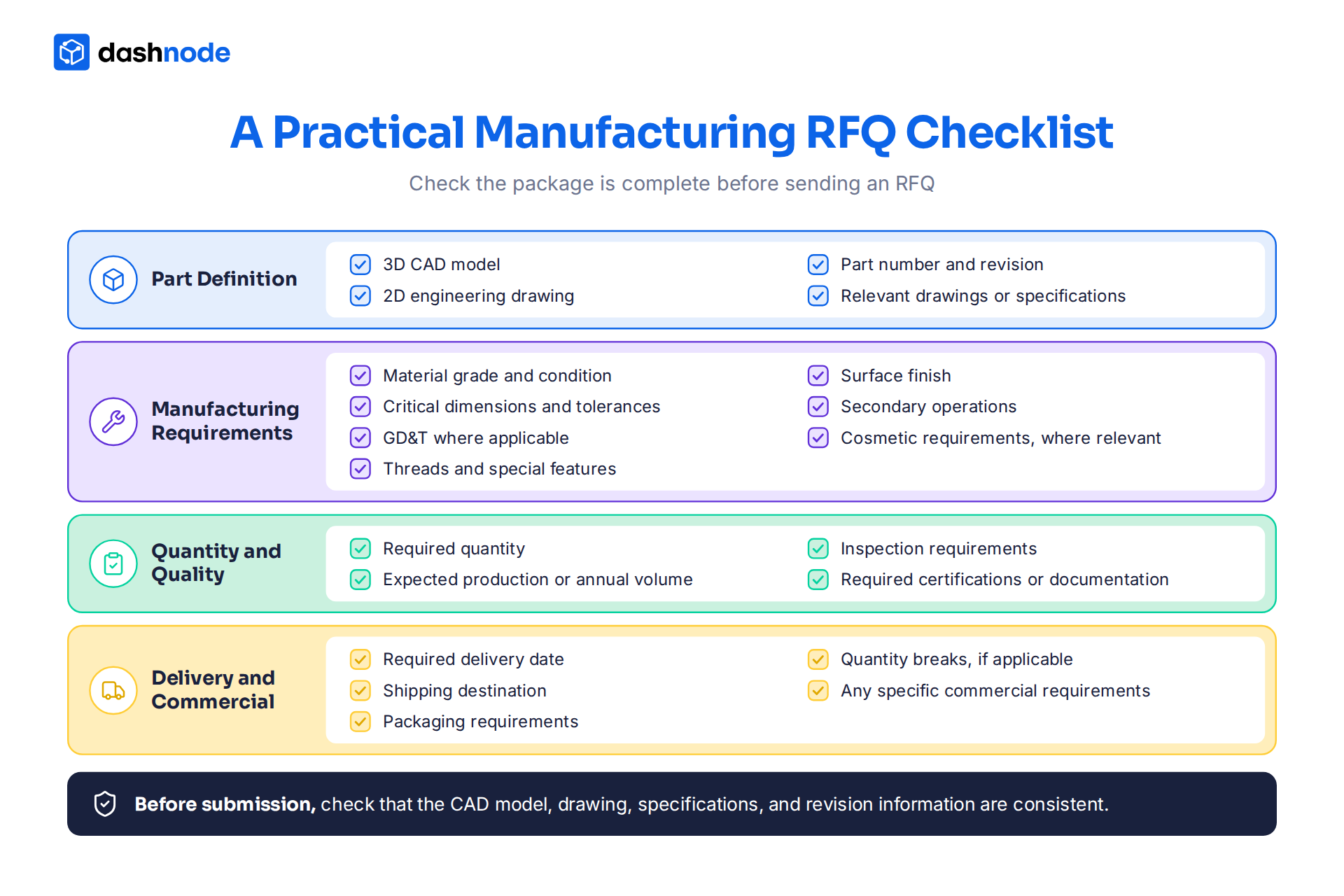
When a manufacturer receives an RFQ, the engineering or estimating team reviews the CAD files, drawings, materials, quantities, tolerances, finishes, inspection requirements, and delivery expectations.
For CNC parts, the team also assesses setups, machine access, tooling, pocket depths, wall thicknesses, threads, undercuts, and other features that influence the manufacturing process and cost.
The supplier needs to answer three questions: Can we make it? What will it take? What will it cost?
Part geometry directly influences manufacturing complexity and cost. Features such as deep pockets, thin walls, limited tool access, undercuts, and tight tolerances can increase machining time, setups, tooling, and inspection requirements.
DFM (Design for Manufacturing) helps assess these factors early and identify opportunities to simplify machining. A small design change can improve manufacturability, control costs, and support a more competitive quote.
The RFQ stage gives buyers and manufacturers an opportunity to evaluate cost, manufacturability, and production requirements before production begins.
A typical manufacturing cost model can include material, setup, machine time, tooling, labour, secondary operations, inspection, overhead, and margin.
For CNC machining, machining time is often a major cost driver. Part geometry, material, number of operations, machine type, tool requirements, cutting conditions, and setups can all influence cycle time.
Material cost also depends on more than the price per kilogram or pound. Raw-stock dimensions, material yield, and scrap can affect how much material must actually be purchased.
.png)
Once the required part information is available, Dashnode brings these inputs together to generate a detailed CNC cost estimate. The workflow typically involves:
Once the supplier completes the technical and cost evaluation, the quotation typically outlines the price, quantity, lead time, tooling or setup charges, finishing, inspection, shipping, payment terms, and other applicable conditions.
For production work, suppliers may also provide quantity-based pricing. Buyers should review the assumptions behind the quoted price and check for exclusions that could affect the final cost.
When comparing multiple quotes, evaluate the complete commercial scope alongside the unit price. Confirm that each supplier has quoted the same part revision, quantity, material, finishing, inspection requirements, and delivery expectations. This creates a consistent basis for evaluating price, lead time, quality, and overall supplier value.
For manufacturers, the challenge often begins after receiving a complete RFQ. Estimators still need to review CAD files, assess features, estimate machining time, calculate material and setup costs, apply machine hour rate and labour rates, account for secondary processes, and prepare the quotation.
The challenge becomes more significant when a costing engineer receives a large batch of RFQs at once. For example, a manufacturer may receive 50–100 part files that need to be reviewed and costed, requiring the estimator to repeat the same analysis across every job. Working through each file individually can consume substantial time and make it harder to respond quickly to customers.
RFQ automation can streamline this process by allowing multiple files to be uploaded for costing rather than requiring estimators to process every part individually. Software can analyse CAD geometry, identify manufacturing features, estimate machining time, calculate material requirements, apply configurable costing rules, and perform DFM checks across the submitted parts.
This allows estimators to spend more time reviewing and validating cost estimates and less time building them from scratch, helping manufacturers respond faster and maintain greater consistency across quotes.
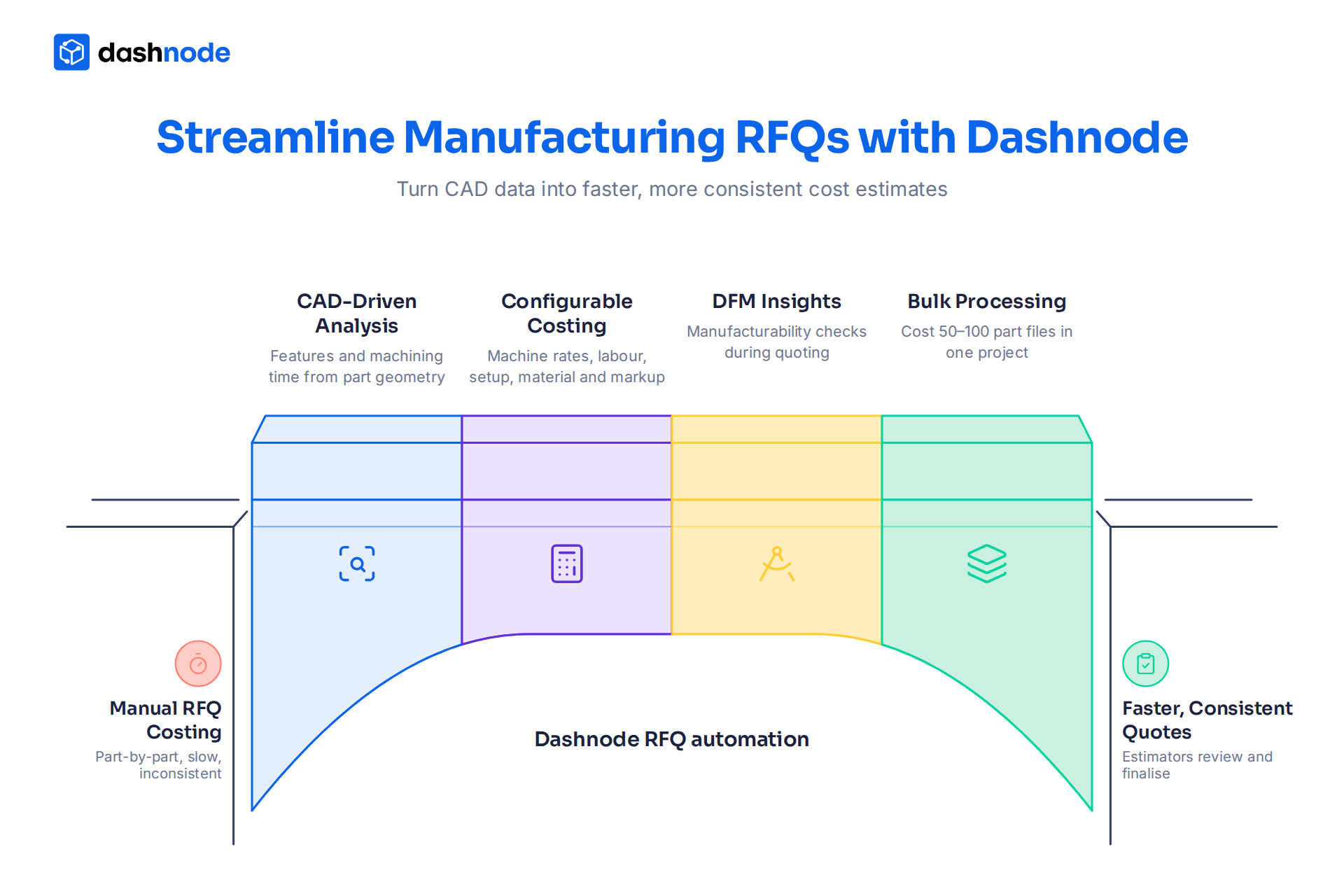
Dashnode uses CAD-driven analysis to help manufacturers turn part geometry into structured cost estimates.
For CNC machining, it analyses CAD features, estimates machining time, and applies configurable inputs such as machine rates, labour, setup, markup, material, and raw-stock costs. Its DFM analysis also helps engineers assess manufacturability during quoting.
For teams handling multiple RFQs, bulk and project-based costing further standardises the estimation process and reduces repetitive calculations.
By combining standardised RFQ inputs with automated CAD analysis and configurable costing, Dashnode helps manufacturers quote faster, improve costing consistency, and handle higher RFQ volumes while keeping engineers and estimators in control of the final estimate.
Want to explore how Dashnode can help your team analyse parts, estimate manufacturing costs, and handle RFQs more efficiently?
Book a free demo session to learn more.
An RFQ (Request for Quotation) is used when the buyer has a defined requirement and primarily wants pricing, lead time, and commercial terms. An RFP (Request for Proposal) is broader and may ask suppliers to propose a solution or approach. For a clearly defined manufactured part, an RFQ is generally more appropriate.
Yes. Providing the same CAD files, drawings, revisions, quantities, specifications, and delivery requirements makes quotes easier to compare. Different information or assumptions can make apparent price differences misleading.
It depends on the part's complexity and the supplier's quoting process. Simple parts with complete documentation can be quoted quickly, while complex parts requiring engineering review, DFM analysis, or secondary processes may take longer. Automated costing can help reduce turnaround time for high-volume RFQ environments.
Suppliers may use different machines, tooling, machining strategies, material sources, labour rates, setup assumptions, or production methods. Before comparing prices, make sure both quotes cover the same specifications, quantity, delivery requirements, finishing, inspection, and scope.
Sometimes, particularly for straightforward parts a manufacturer can quote from a 3D CAD file. However, a 2D drawing is often needed to define tolerances, GD&T, surface finishes, threads, inspection requirements, and other specifications that the CAD model may not fully represent. Providing both gives the manufacturer a stronger basis for quoting.
Manufacturers can standardise RFQ intake and costing methods, centralise part information, and reduce repetitive calculations. CAD-based quoting tools can further automate feature analysis, machining-time estimation, material costing, DFM checks, and bulk processing, allowing estimators to focus on complex jobs and commercial decisions.