.png)

Why does the same CNC milled part get quoted at ₹8,000 by one supplier and ₹18,000 by another?
If you’ve ever sourced machined components, especially across multiple vendors, you’ve likely faced this exact situation. You share the same CAD file, the same specifications, and the same quantity. Yet the quotes you receive vary significantly.
The inconsistency stems from the fact that CNC milling costs are not derived from a single standard formula. They are shaped by a series of decisions: how the part is machined, what tooling is used, how many setups are required, and how each manufacturer interprets the job. Two suppliers may approach the same design differently, leading to entirely different cost structures.
This is what makes CNC cost estimation fundamentally different. Both calculation and interpretation play a major role in it.
In this blog, we’ll break down the key factors that influence CNC milling costs, including machine selection (3-axis vs 5-axis), tooling considerations (e.g., end mill cost), machining strategies (e.g., pocketing vs contouring), milling feed rate decisions, and the often-overlooked impact of machine setup time.
More importantly, we’ll explore why these variables lead to inconsistent quotes and how manufacturers can bring more clarity and consistency into the costing process.
As CNC milling becomes more complex and quote volumes increase, manufacturers explore more structured, automated approaches, using tools like Dashnode, to improve consistency in the costing process.
Whether you’re evaluating supplier quotes or estimating costs internally, most variations can be traced back to a few core factors:
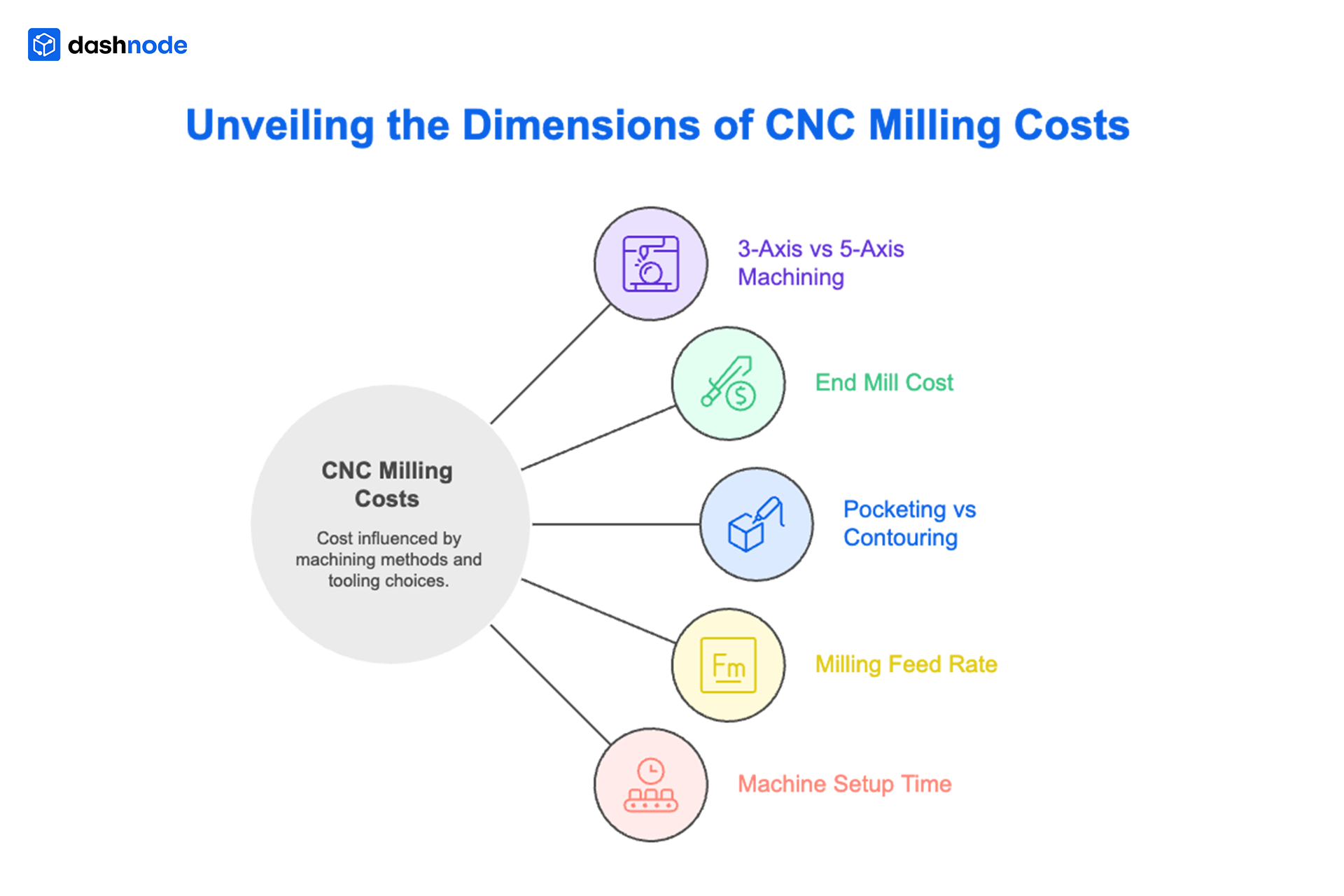
While these factors may seem independent, in CNC milling they are closely interconnected. A change in one, such as switching from contouring to deep-pocketing or adjusting the milling feed rate, can affect machining time, tool wear, and even setup requirements.
One of the most important decisions in CNC milling is whether a part is machined using a 3-axis or a 5-axis machine. While both approaches remove material to create parts, the way they handle geometry and setups is fundamentally different, and that difference directly impacts cost, time, and accuracy.
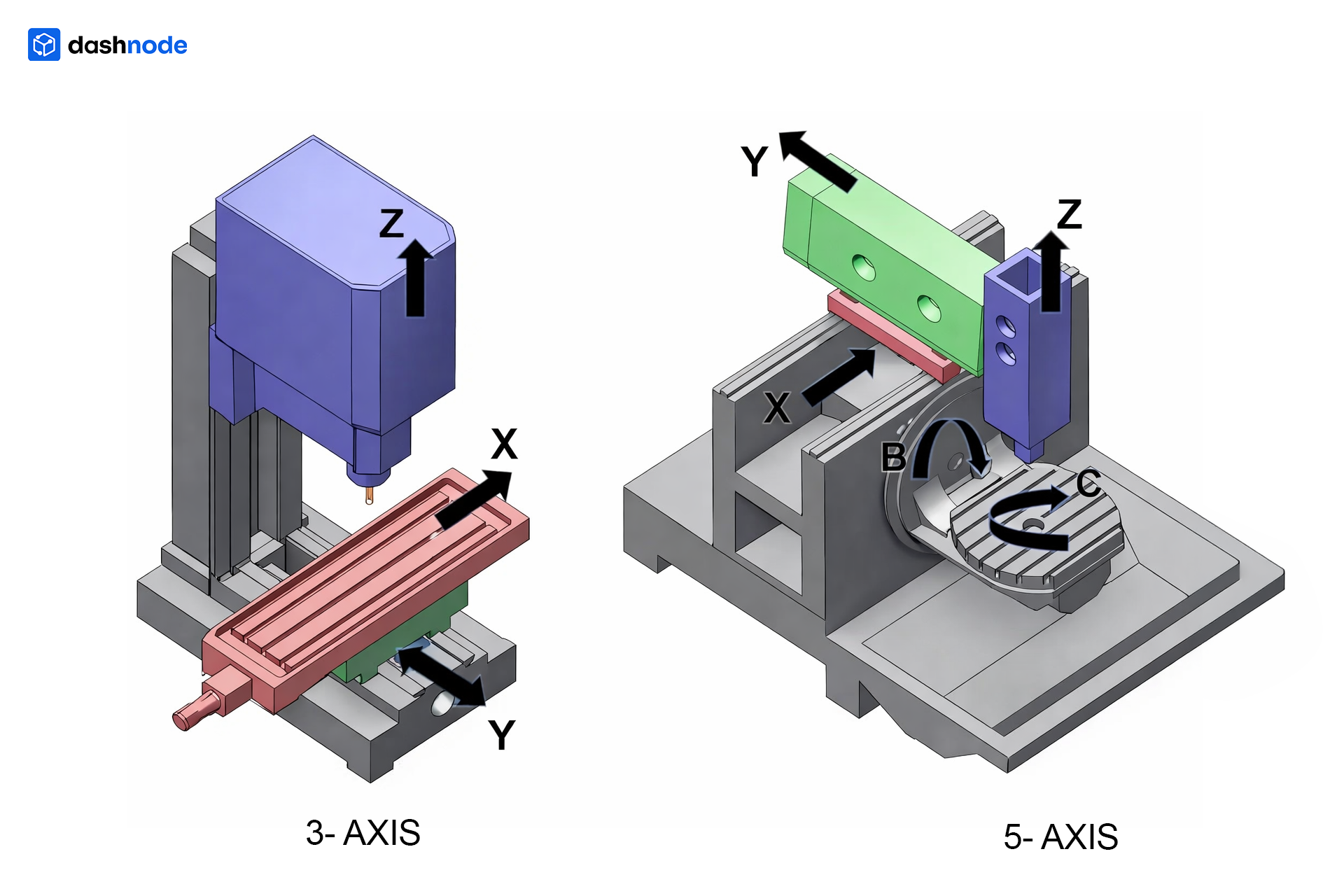
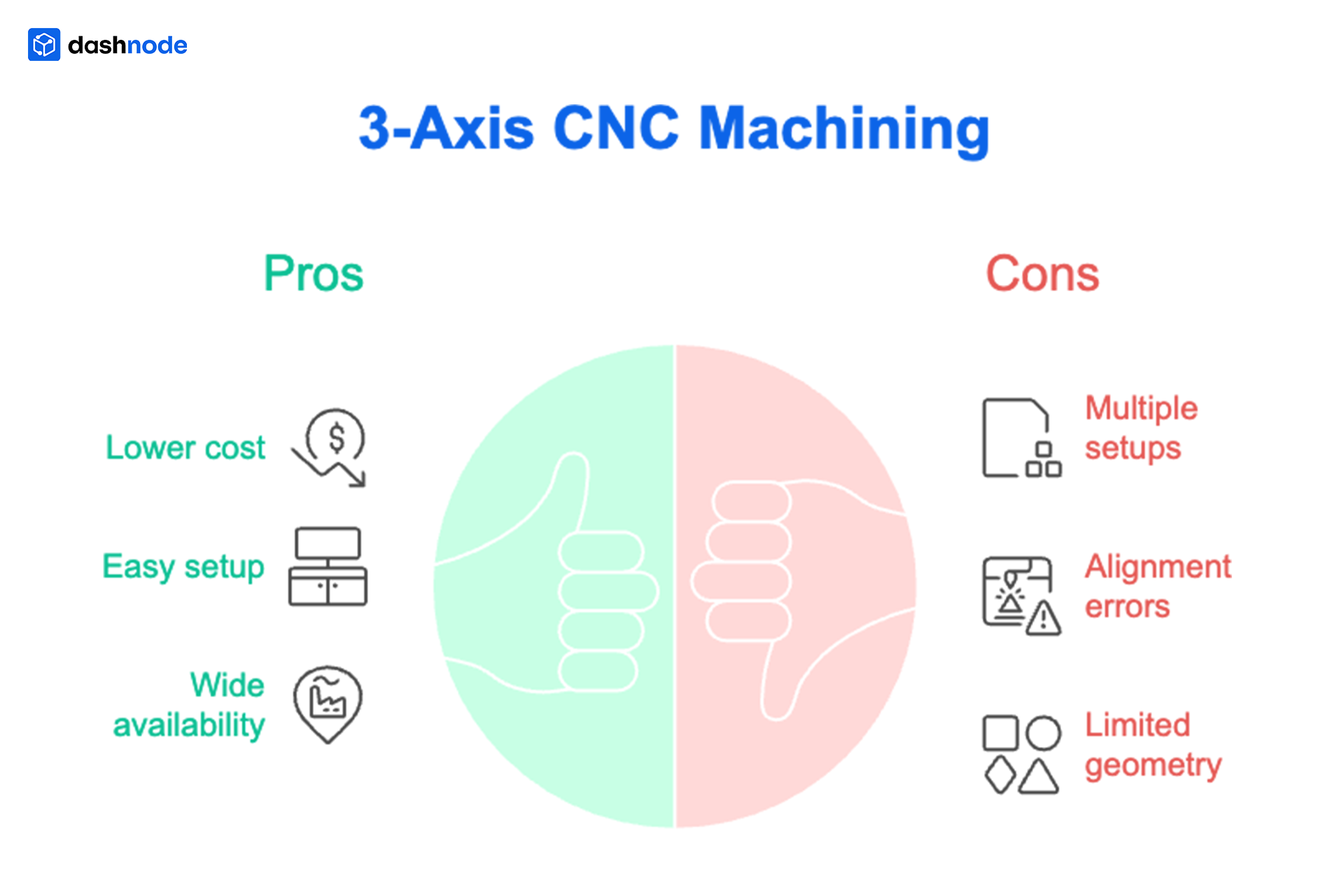
In 3-axis CNC machining, the cutting tool moves along three linear directions: X, Y, and Z. The part remains fixed in one orientation, and different features are accessed by manually repositioning the workpiece.
This makes 3-axis machining well-suited for simpler parts where most features are accessible from a single direction. It is also the most commonly used approach across manufacturing shops due to its lower cost and wide availability.
5-axis CNC machining introduces additional rotational movement, allowing the tool to approach the part from multiple angles without repositioning it.
Instead of stopping and resetting the part for each orientation, the machine adjusts automatically. This enables complex geometries, angled features, and multi-face machining to be completed in fewer setups.
The main difference between 3-axis and 5-axis CNC machining is that 3-axis machines require multiple setups for complex parts, while 5-axis machines can machine multiple sides in a single setup.
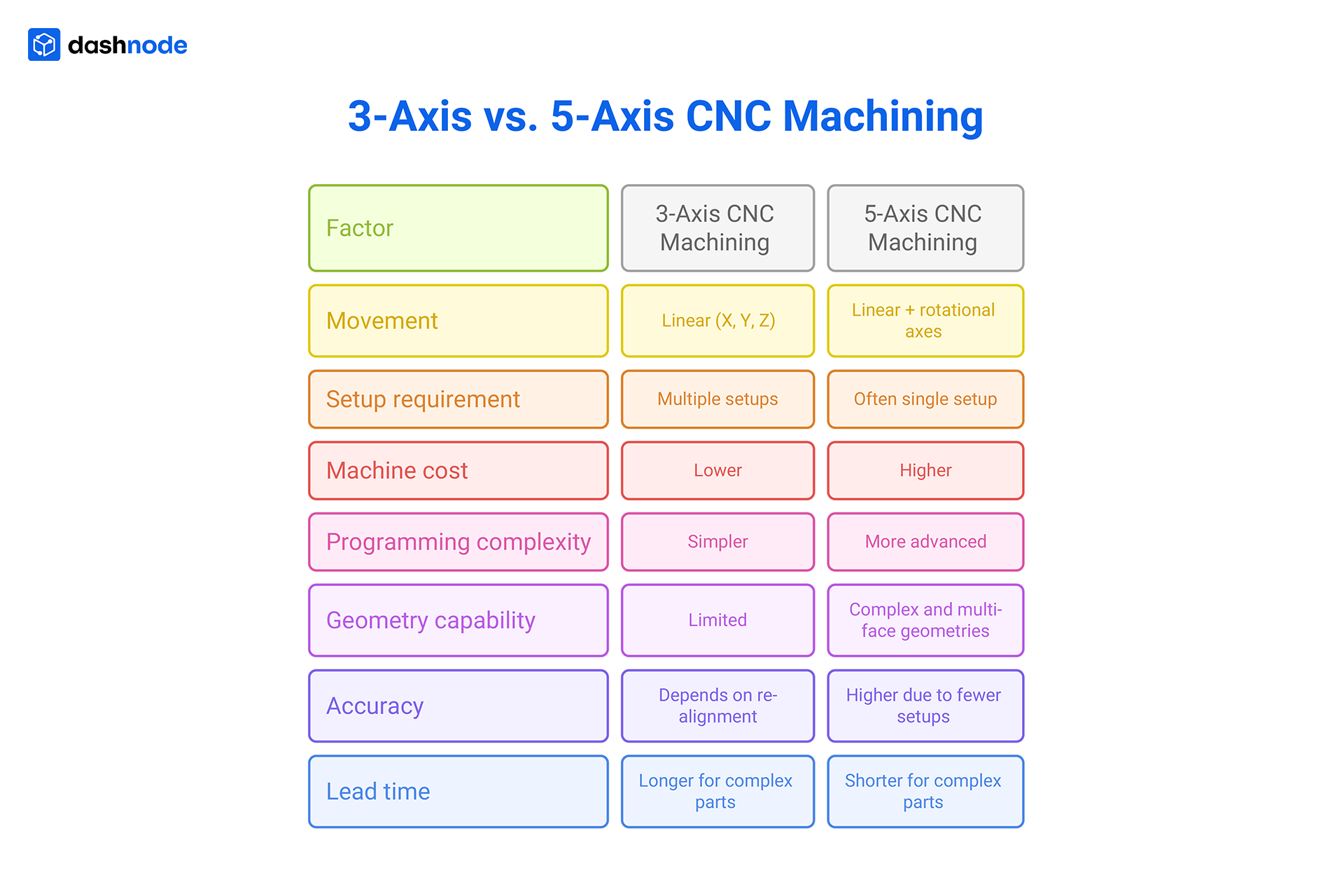
Advantages:
Limitations:
Advantages:
Limitations:
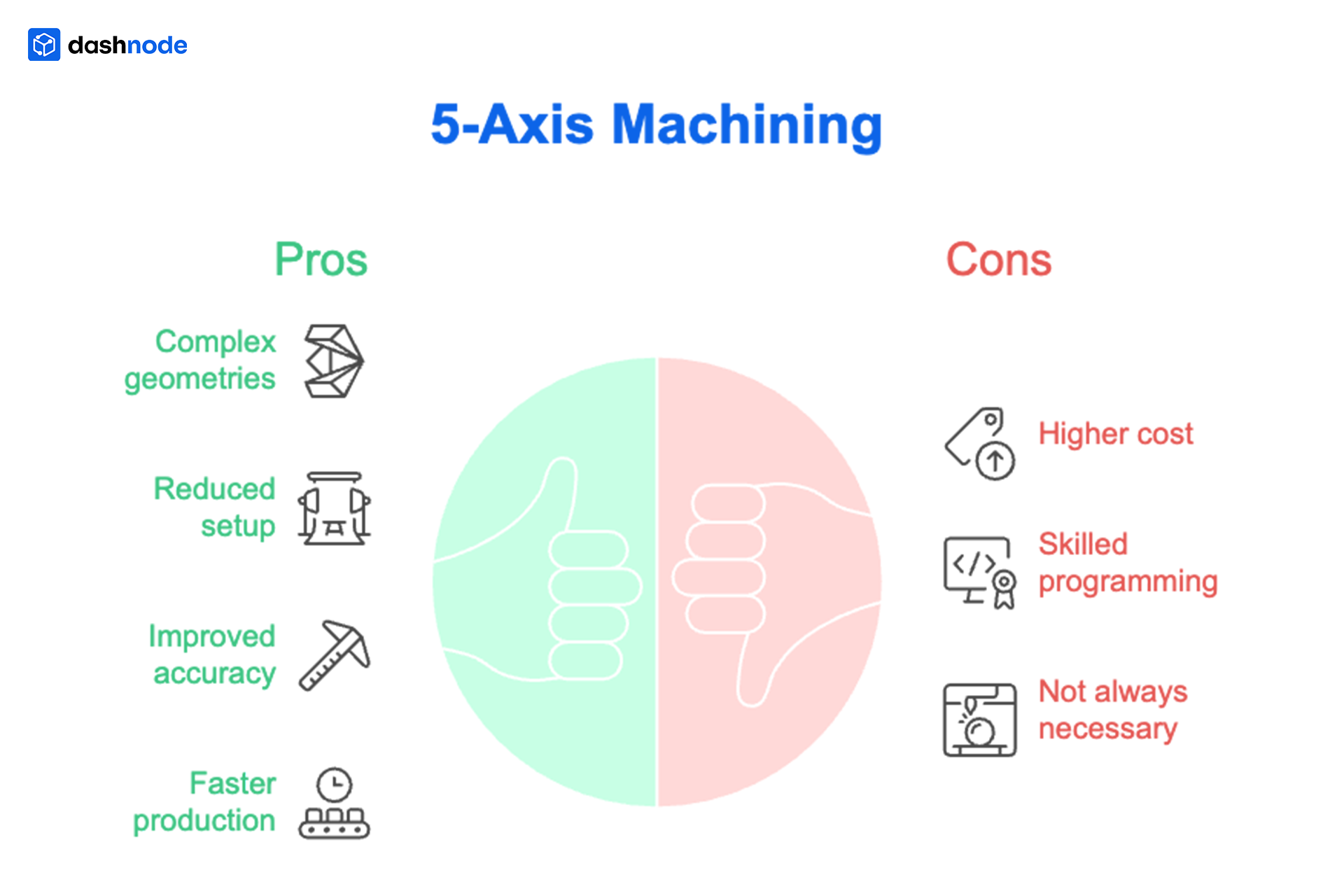
The choice between 3-axis and 5-axis machining often depends on the type of part being produced.
3-axis machining is commonly used for:

5-axis machining is preferred for:
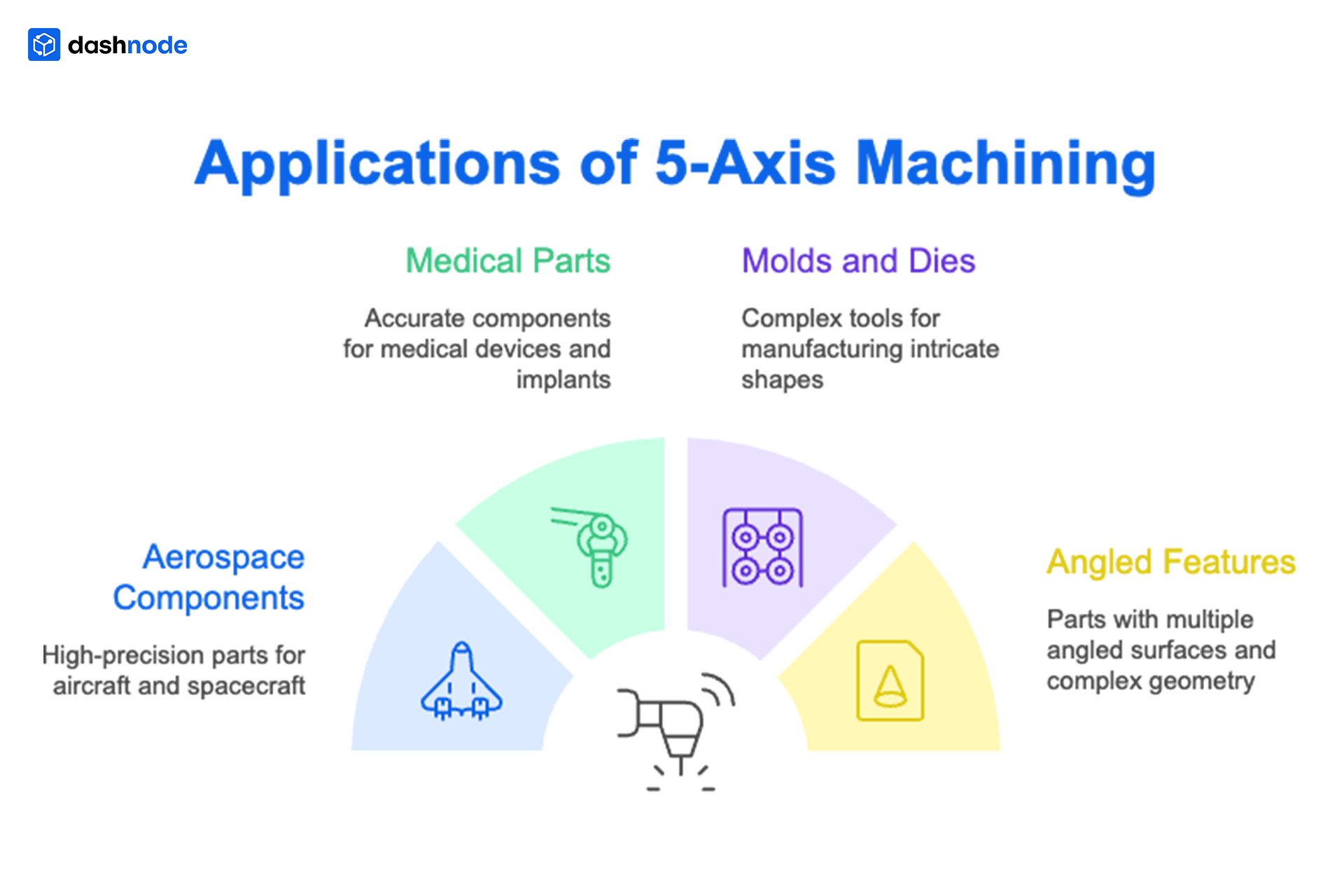
In many real-world scenarios, both approaches are technically possible, but one is significantly more efficient.
The decision should be based on overall production efficiency rather than just machine cost.
Choose 3-axis machining when:
Choose 5-axis machining when:

A common assumption is that 5-axis machining is always more expensive because of higher machine rates. In reality, CNC milling cost is driven by total production effort, not just hourly rates.
A part that requires multiple setups on a 3-axis machine involves repeated alignment, longer machining time, and additional inspection. The same part on a 5-axis machine can often be completed in a single setup, reducing both time and risk.
In CNC milling, tooling cost, especially end mill cost, is not just about the price of the tool. It is about how long the tool lasts and how it performs under different machining conditions.
Tool life varies significantly based on material, cutting parameters, and machining strategy. A tool cutting aluminium may last across multiple batches, while the same tool used on hardened steel may wear out quickly or require frequent replacement.

A shop machining aluminium brackets may use one end mill across dozens of parts. But for stainless steel components, tool changes may be required within a single batch, increasing the cost per part.
End mill costs vary with material, machining strategy, and tool life, making them a key contributor to CNC milling cost variability.
In CNC milling, how material is removed matters as much as how much material is removed. This is where pocketing vs contouring plays a major role.
Pocketing involves removing material from inside a boundary, often in multiple passes. Contouring, on the other hand, follows the outer profile of the part and is generally more direct.
Pocketing vs Contouring (Quick Comparison) (H3)

Two parts may look similar externally. However, if one includes deep internal cavities (pocketing), it may take significantly longer to machine than a part that primarily involves contouring.
The milling feed rate determines how quickly the cutting tool moves through material, directly affecting cycle time and cost.
At first glance, increasing the feed rate seems like an easy way to reduce machining time. But higher speeds also increase tool wear and may affect surface finish.

For example, increasing the feed rate by 20% may reduce cycle time, but it can also shorten tool life and increase tooling cost. Different shops balance this trade-off differently, which leads to variation in quotes.
Among all CNC milling cost drivers, machine setup time is often the least visible, but one of the most impactful.
Setup includes all preparatory steps before machining begins fixturing, alignment, tool loading, and program verification. While it doesn’t produce a part directly, it consumes time and resources.


Setup time remains constant regardless of quantity. This makes low-volume production significantly more expensive per part.
Imagine sending the same CNC milling drawing to three different vendors and receiving three very different quotes. This situation is more common than most manufacturers expect—and it’s rarely random.
Even when two parts look identical on the surface, small differences in interpretation and machining approach can lead to significant cost variation. These differences are often invisible in the drawing but become critical during production.

Each of these factors may seem minor in isolation. But when combined, they can significantly change the total machining effort and therefore the final quote.
Given the number of variables involved in CNC milling, many manufacturers still rely on manual estimation, reviewing drawings, applying experience, and calculating costs using spreadsheets or internal methods.
While this approach works for smaller volumes, it becomes difficult to scale.

As part complexity increases, these challenges become more visible, leading to inconsistent pricing and slower response times.
This naturally raises the question: Can CNC costing be made more consistent and scalable?
Dashnode helps bring consistency into the costing process by allowing users to upload CAD files and generate detailed cost estimates. The focus shifts from guesswork to structured evaluation.

This doesn’t replace engineering expertise; it standardizes it, making it easier to scale across projects and teams. To explore more, check out how automated CNC quoting works.
Bringing structure into the costing process is essential for maintaining speed, accuracy, and competitiveness in modern manufacturing.
Ready to simplify your CNC costing and reduce quote variability? Book a demo with Dashnode and see how it works for your workflow.
Because different manufacturers use different machines, tooling strategies, and machining approaches. These variations affect machining time, setup, and overall cost.
Not always. While 5-axis machines have higher hourly rates, they can reduce setup time and improve efficiency, which may lower overall cost for complex parts.
End mill cost depends on tool life, material type, and cutting conditions. Harder materials and aggressive machining increase tool wear and overall cost.
Setup time includes fixturing, alignment, and programming. It does not scale with quantity, making it a major cost factor in low-volume production.
By standardizing estimation processes and using automated tools that provide consistent cost calculations based on machining parameters.
Dashnode is an automated CNC costing and quoting platform that helps manufacturers generate accurate cost estimates for CNC milling directly from CAD files. It standardizes how machining time, tooling, and setup are calculated, reducing manual effort and improving consistency across quotes.